The photo backup you can trust.
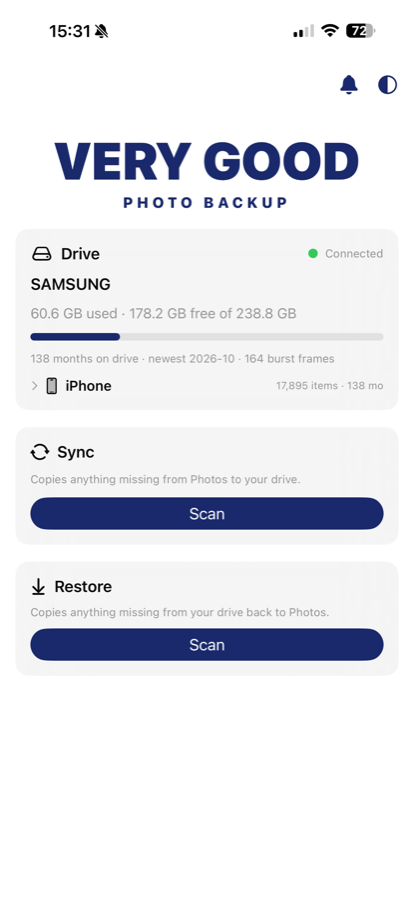
Full-quality iPhone & iPad photo backup to a USB-C drive you own. No cloud, no accounts, no tracking — your photos go from your phone to your drive, and nowhere else.
Why people trust it
Built to earn your trust
Nothing to worry about
Your photos only ever move from your phone to your drive — no servers, no accounts, no tracking, nothing sent anywhere. And you don't have to just trust us on that: the code that handles your photos is right there on the Privacy page for you, or an AI, to read.
Anyone can use it
Nothing to figure out and nothing to set up. Plug in a USB-C drive, pick a folder once, and tap Scan, then Back up. It remembers your drive and reconnects on its own next time, so backing up stays a quick habit.
Quick enough to actually do
A backup you dread is one you'll skip. This one runs as fast as your drive allows, picks up only new photos after the first run, and lets you stop and continue any time — so keeping your photos safe never feels like a chore.
Full quality
Your originals, exactly as they are
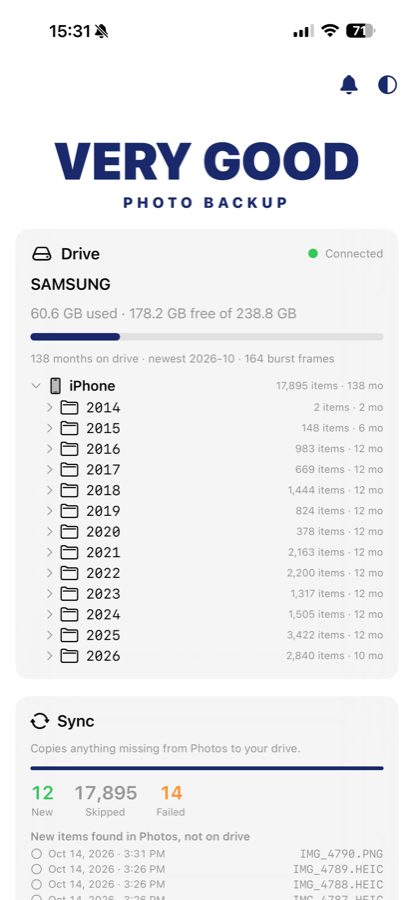
Very Good Photo Backup copies the original file of every photo and video to your drive — nothing is shrunk, compressed, or converted. Everything is sorted into simple folders by year and month, using the date each photo was taken, so you can plug the drive into any computer and your whole timeline is right there.
- Full original quality — exact copies, nothing re-compressed
- Sorted into year and month folders by the date each photo was taken
- Original file names and dates kept, so photos are easy to load back later
One tap
Backs up only what's missing
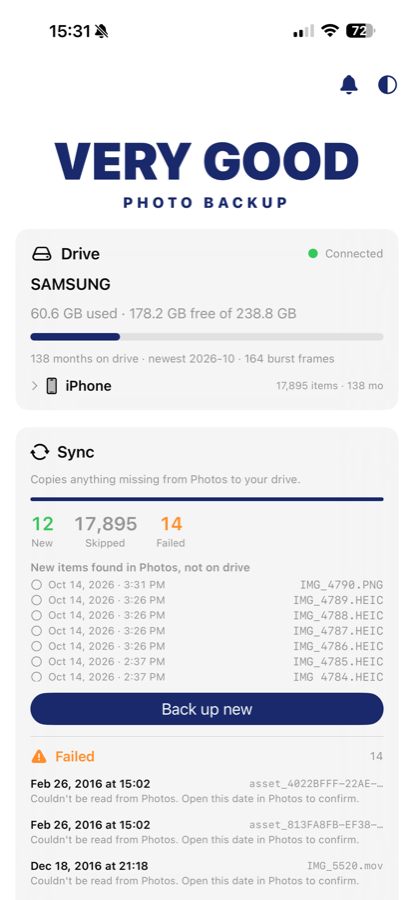
Tap Scan and the app carefully checks every photo against what's already on the drive; tap Back up and it copies only the ones that are missing. It checks by name, not just by count, so even an older photo you saved into a past month gets picked up. Photos that are already backed up are skipped right away, so running it again is quick.
- Only copies what's new — stop any time and pick up later
- Runs as fast as your drive allows, with nothing to set up
- Keeps a simple log on the drive of what was copied
Safe by structure
Read-only backup, add-only restore
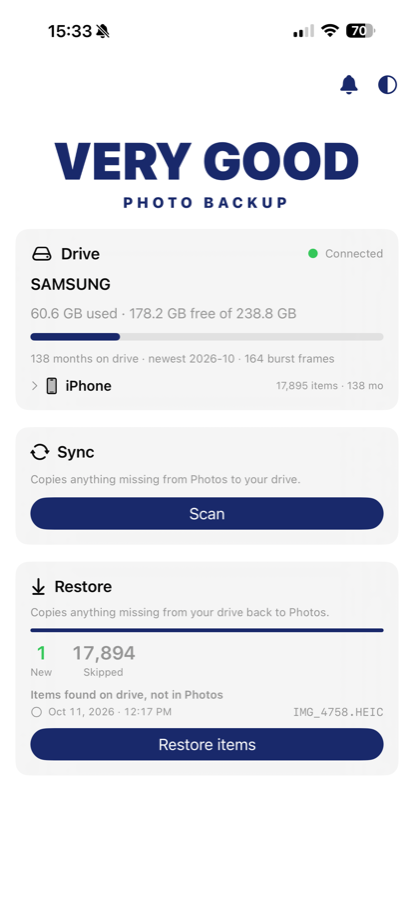
When it backs up, the app only ever reads your photos — it never adds, changes, or deletes anything in your photo library. When you restore, it can only ever add photos back; it's built so it cannot remove or change the photos you already have. You don't have to take our word for it — the code that does this is published on the Privacy page for anyone (or any AI) to check.
- Backing up only reads your photos, never changes them
- Restoring can only add photos back, never remove them
- The code behind this is published on the Privacy page
Common questions
FAQ
Is Very Good Photo Backup private?
Yes. There are no servers, no accounts, no tracking, and no ads. Your photos only ever move from your phone to your own drive. The one time the app goes online is to download a full-size copy of a photo you've stored in iCloud, so it can save that full-size version to your drive — it never sends your photos or any information about you anywhere.
Does it change or delete anything in my photo library?
No. Backing up only reads your photos — it never adds, edits, or deletes anything in your library. Restoring can only add photos back, never remove or change what is already there. You can read the code that handles your photos on the Privacy page to confirm this yourself.
How are the photos organized on the drive?
In plain, browsable folders by year and month (DRIVE/YYYY/YYYY-MM), using each photo's real capture date. Files keep their original names and format with no conversions, so you can open the drive on any computer.
What drive do I need?
Any USB-C drive formatted as ExFAT or APFS so iOS can write to it. A powered hub can help with larger drives. The drive you pick is remembered and reconnects automatically next time.
What devices does it work on?
iPhone and iPad running recent versions of iOS and iPadOS, backing up to a USB-C drive. Backups are incremental and resumable, so you can stop any time and pick up where you left off.
Back up your photos with confidence
Safe, simple, and yours to keep — on a drive you own.